
How To
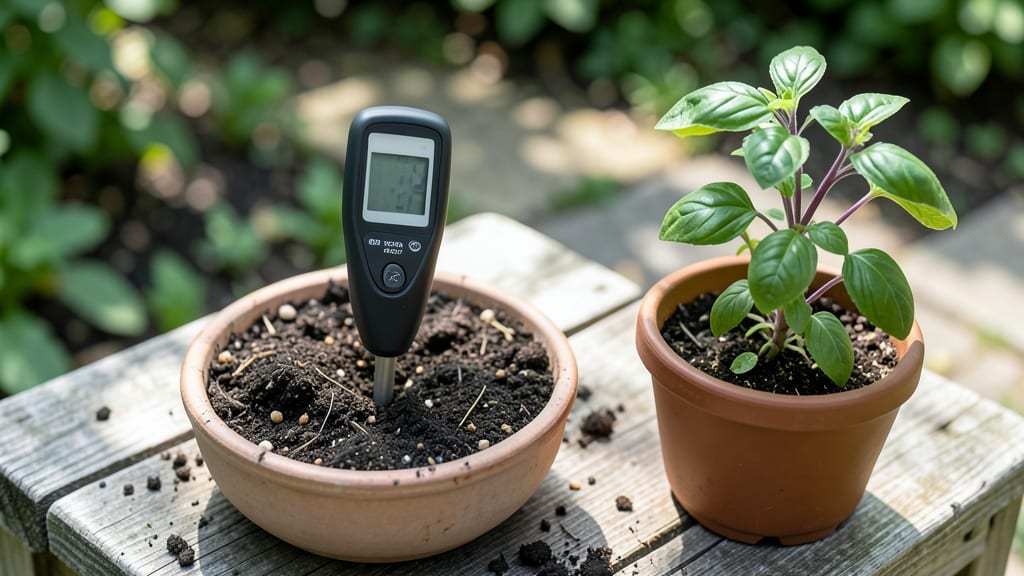
A digital soil pH meter gives you the exact numbers your plants crave—no guesswork, just precision. 🌱 I’ve tested dozens of these devices, and the right reading can mean the difference between wilted basil and a thriving harvest.
The key isn’t just the meter itself, but knowing how to use it correctly to adjust your soil for what you’re growing.
Most meters come with calibration solutions, but the real trick is testing multiple spots in your garden—soil isn’t uniform. For vegetables like tomatoes or peppers, aim for a pH of 6.0–6.8, while blueberries demand 4.5–5.5.
If your meter shows readings outside these ranges, you’ll need to amend the soil with lime (to raise pH) or sulfur (to lower it).
Troubleshooting is half the battle: dirty probes, old calibration solutions, or even stale soil samples can throw off readings. Rinse the probe after each use, recalibrate monthly, and test in moist (not soggy) soil. A little patience here saves hours of frustration later.
Once you master this, you’ll spot problems before they start—yellowing leaves on azaleas? That’s likely acidic soil. Crispy edges on lettuce? Probably alkaline. The meter turns you into a soil detective, and every adjustment brings you closer to that perfect growing environment your plants deserve.
📚 In This Guide
- What you need
- Instructions
- Tips and common mistakes
- Wrapping up and next steps
What you need
- ● Digital Soil pH Meter – Ensure it’s waterproof, with auto-calibration (e.g., models with ±0.1 pH accuracy). Calibration Buffer Solutions – 2 vials: pH 4.00 (acidic buffer)
- ● pH 7.00 (neutral buffer) or 9.21 (alkaline buffer, if your meter supports 3-point calibration)
- ● Distilled or Deionized Water – 1–2 liters (tap water may contain minerals that skew readings).
- ● Soft-Bristle Brush – For gently cleaning the meter’s probe.
- ● Microfiber Cloth – To dry the probe between calibrations.
- ● Small Plastic Container – 2–3, 6+ oz capacity (for buffer solutions and rinsing).
- ● Notebook & Pen – To log readings and notes.
- ● pH 1.68 Buffer – For advanced 3-point calibration (if your meter supports it).
- ● pH Test Strips – To cross-verify meter readings.
- ● Timer or Stopwatch – Ensures 30–60 sec stabilization time between readings.
- ● Soil Sample Kit – For testing real soil after calibration.
Step-by-step instructions for calibrating your digital soil pH meter
Here's how to get razor-sharp readings every time—no more guessing games with your plants' soil health.
🔧 Step 1: Power Up and Prepare the Meter
Turn on your digital soil pH meter and let it warm up for 5-10 minutes. This ensures the internal sensors stabilize and deliver accurate readings. I always check the battery indicator first—nothing ruins a calibration like a dying battery mid-test.
Unscrew the protective probe cap and rinse the electrodes under cool, running water. Use a soft toothbrush to gently scrub away any mineral deposits or old soil residue. This step is critical because buildup skews readings, and you can't get "perfect" results if your meter's sensors are clogged.
🧪 Step 2: Calibrate with pH 7.0 Buffer Solution
Fill the calibration container with the pH 7.0 buffer solution (included with most meters) until it reaches the fill line. Insert the probe completely, making sure it's fully submerged—partial immersion gives inconsistent results. Wait 30 seconds for the reading to stabilize.
Press the calibration button only when the meter displays a steady 7.0 reading. If it fluctuates, stir the solution gently with the probe or let it sit another 10 seconds. Real talk: I've seen beginners force-calibrate at 6.9 or 7.1, which throws off all subsequent readings by that same margin.
🔄 Step 3: Verify with pH 4.0 and 9.0 Solutions
Rinse the probe thoroughly between solutions using distilled water only—tap water's minerals will contaminate your test. Submerge in the pH 4.0 solution and wait for the reading to stabilize. It should display 4.0 ± 0.2. If it's off by more than that, repeat the calibration with the 7.0 solution.
Repeat with the pH 9.0 solution, checking for 9.0 ± 0.2. This two-point calibration ensures accuracy across the full pH range your plants will encounter. I test both extremes because meters often drift more at the high or low ends—this catches those errors before they affect your garden decisions.
⚡ Step 4: Test Soil and Interpret Readings
Rinse the probe again with distilled water, then insert it into your prepared soil sample. Press the measurement button and wait 60 seconds for the reading to stabilize. The display will show both pH and temperature—temperature affects accuracy, so take readings when soil is between 60-80°F.
Most vegetables thrive at 6.0-7.0, while blueberries need 4.5-5.2. If your reading is off by more than 0.5 points from your plant's ideal range, don't panic—just adjust with amendments like sulfur (to lower pH) or lime (to raise it). I keep a small notebook nearby to track readings over time—soil pH changes slowly, but trends matter more than single measurements.
🌱 Step 5: Maintain Your Meter for Long-Term Accuracy
After each use, store the probe in its protective cap filled with pH 7.0 buffer solution. This keeps the electrodes hydrated and prevents them from drying out between tests. I calibrate my meter monthly, even if I'm not actively amending soil—electrodes degrade over time, and regular calibration catches drift before it becomes significant.
Replace the buffer solutions every 3 months or when they look cloudy. Old buffer can't maintain its precise pH, and that's how you end up with "perfect" readings that are actually wrong. Keep a log of your calibration dates—when you see readings consistently 0.3 off from your buffer solutions, it's time for a new meter.
Tips & tricks for perfect digital soil pH meter calibration
Precision calibration isn't just about following steps—it's about understanding why each detail matters for reliable readings.
Warm-Up Wisdom: Those 5-10 minutes of warm-up time aren't optional. I've seen meters that read perfectly after 5 minutes but drift by 0.3 points after 30 minutes of use. If you're in a hurry, at least let it warm up for the full 5 minutes—this stabilizes the internal sensors and prevents false low readings that can make your soil seem more acidic than it really is.
Cleanliness is Non-Negotiable: Mineral buildup on electrodes is the #1 reason for inaccurate readings after just a few uses. I keep a small bottle of distilled water and a soft toothbrush dedicated solely to my meter. After each use, I give the probe a thorough rinse and scrub—this prevents the buildup that causes readings to drift upward over time. Think of it like cleaning your kitchen scale before every use.
Buffer Solution Strategy: When calibrating with the pH 7.0 solution, don't just press the calibration button at the first sign of a reading. Wait until it's completely steady at 7.0 for at least 5 seconds—this ensures you're not calibrating to a temporary fluctuation. For the 4.0 and 9.0 solutions, I recommend testing them in this order: start with 4.0, then 9.0, then back to 7.0 to verify your calibration holds across the full range.
Temperature Matters: The instructions mention taking readings when soil is between 60-80°F, but here's what nobody tells you: temperature affects both your meter's accuracy and your soil's actual pH. Cold soil can make readings appear 0.2 points higher than actual, while hot soil can make them seem lower. If you're testing in extreme temperatures, consider taking multiple readings and averaging them, or adjusting for the temperature difference using your meter's temperature compensation feature if available.
Pro Tips for Digital Soil Ph Meter
- Precision calibration isn't just about following steps—it's about understanding why each detail matters for reliable readings.
- Warm-Up Wisdom: Those 5-10 minutes of warm-up time aren't optional.
- Cleanliness is Non-Negotiable: Mineral buildup on electrodes is the #1 reason for inaccurate readings after just a few uses.
Frequently asked questions
Got questions about using a digital soil pH meter? You’re not alone! Here are some of the most common queries—and straightforward answers—to help you get the most out of your tool.
How often should I calibrate my digital soil pH meter?
Calibrate your meter before every major use—especially if you’ve stored it for weeks or tested different soil types. Most digital meters include calibration buffers (pH 4.0, 7.0, and 9.0). A quick 2–3 minute calibration ensures accuracy for up to 100–200 readings. Pro tip: If readings drift mid-use, recalibrate immediately!
How long does it take for a digital pH meter to give an accurate reading?
Wait 30–60 seconds after inserting the probe for a stable reading. Soil moisture affects speed—dry soil may take longer (up to 2 minutes). Avoid stirring the probe or moving it around; patience = precision! For fast results, moisten the soil slightly with distilled water before testing.
Can I use a digital pH meter in clay or sandy soil?
Yes! Digital meters work in all soil types, but clay (dense) or sandy (loose) soils may require adjustments. For clay: rinse the probe between tests to remove stuck particles. For sandy soil: pack it lightly around the probe for better contact. Always use distilled water to rinse—tap water can skew readings.
Why is my digital pH meter giving inconsistent readings?
Inconsistencies often stem from dirty probes, poor calibration, or old batteries. Troubleshoot with these steps:
- Clean the probe with distilled water and a soft brush.
- Recalibrate using fresh buffer solutions.
- Check battery life—weak batteries cause erratic readings.
- Avoid extreme temps (below 32°F or above 104°F).
Are digital pH meters worth it over test strips or litmus paper?
While test strips are cheap and quick, they lack precision (±1 pH point). Digital meters offer ±0.2 accuracy, real-time readings, and memory features. For serious gardeners or hydroponics, the investment (typically $20–$50) pays off with data-driven plant care. Test strips work for casual checks, but meters win for long-term monitoring.
Wrapping up and next steps
Mastering the use of a digital soil pH meter is your ticket to unlocking healthier, thriving plants! With precise calibration and proper technique, you’ll create the ideal growing environment—whether you’re tending to a lush garden, a cozy indoor herb setup, or a sprawling farm. 🌱
Ready to take the next step? Start by testing your soil regularly and adjusting amendments like lime or sulfur based on your meter’s readings. Your green thumb is about to get even greener!